Skip to content

Independent digital products

Vinverse

Practical tools for everyday work and life.

Prepare a document, organize a resume, explore a calculation or plan your next trip. Find a focused product, understand its limits and get on with the task.

Independent products. Simple experiences. One Vinverse family.

Start with the job you need to do.

All products

Each application has its own workspace. These overviews explain who it is for, what it actually does and what to check before you start.

Available

Files & utilities

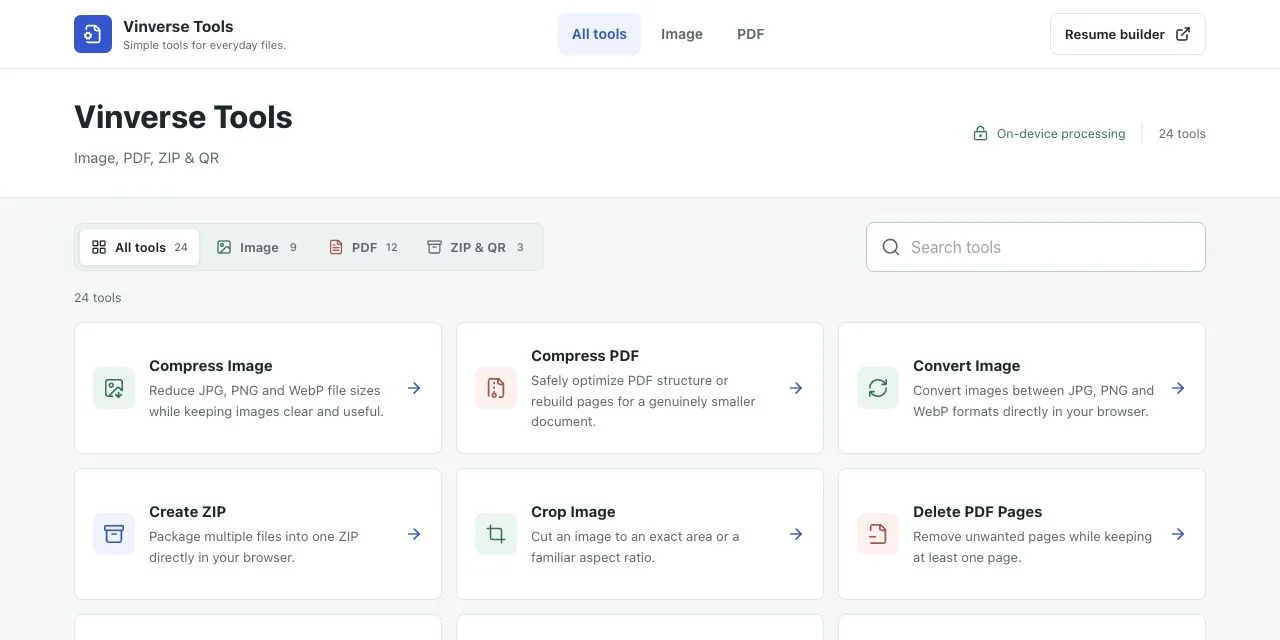
Vinverse Tools

Prepare images, organize PDFs and package files without installing a separate application for each task.

For: People preparing application documents, sharing photographs, combining paperwork or sending an organized set of files.

  • Image preparation
  • PDF organization
  • ZIP and QR utilities
Explore Tools tools.vinverse.co
Available

Money education

Vinverse Money

Explore reference metal prices and financial calculations with their assumptions in view.

For: People comparing an illustrative savings scenario or trying to understand the components of a precious-metal estimate.

  • Reference metal prices
  • Scenario calculators
  • Educational context
Explore Money money.vinverse.co
Available

Career

Vinverse Resume

Turn your own experience, education and projects into an editable resume and export a PDF.

For: Students, fresh graduates and job applicants who need a structured way to describe genuine education, work and projects.

  • Guided editing
  • Templates and preview
  • PDF export
Explore Resume resume.vinverse.co

Why Vinverse

A smaller workspace for a clearer task.

Combining PDF pages is a different job from preparing a resume. Rather than place every feature in the same application, Vinverse keeps those workflows separate. You can choose a product without committing to an all-purpose platform.

Useful also means honest.

A price is a reference, not a quote. A resume template is a layout, not a hiring guarantee. A browser draft is not automatically a cloud backup. Product pages explain these boundaries so you can decide whether the workflow fits your needs.

Questions about the products

How products are approached

Begin with the result. Make the steps visible.

A useful workflow needs a clear input, an understandable action and a result you can inspect. Our product overviews use that same structure, including the limitations that a short feature list can miss.

Read about focused products
  1. Define the task. Know whether you need a smaller image, a reordered document or an editable resume.
  2. Choose the operation. Read its formats, assumptions and data-handling notice before using a sensitive file.
  3. Check the result. Review the preview and exported output. Keep an original copy of important work.

Product categories

Different tasks. Deliberate boundaries.

Practical reading before you begin.

All guides

Website updates cover meaningful changes to the main website.

A few common questions.

All questions
What is Vinverse?

Vinverse is a collection of practical digital products for everyday files, money education, resume preparation, travel planning and media. This main website explains the products and publishes practical guides; the applications have their own addresses.

Are the products free?

Public tools and information are available without a purchase in many workflows. Account requirements, limits and any paid features vary by product. Check the current product screen before starting; this site does not promise every feature will remain free.

Do I need an account?

The main site and its articles do not require one. Many file utilities work without an account. Saving or account-backed workspace features may require sign-in in the relevant application.

Are my products and data connected?

The products share a brand, not a promise of shared storage or sessions. A draft in one application is not automatically available in another. Browser-local data can be lost when site storage is cleared.

Your next task

Find the product that fits.

Read its overview, check the limits and open the application when you are ready.